

Sandboxes, API keys and connectors
The admin sandbox pages give you a cross-account view over every customer’s sandboxes, API keys and CI runner connectors, plus the one platform-wide setting connectors need before customers can use them.
Where to find it
Section titled “Where to find it”In the admin panel go to Sandboxes > Sandboxes, Sandboxes > Connectors and Sandboxes > API keys.
Sandboxes
Section titled “Sandboxes”The list covers every account’s sandboxes, filterable by state, node and user.
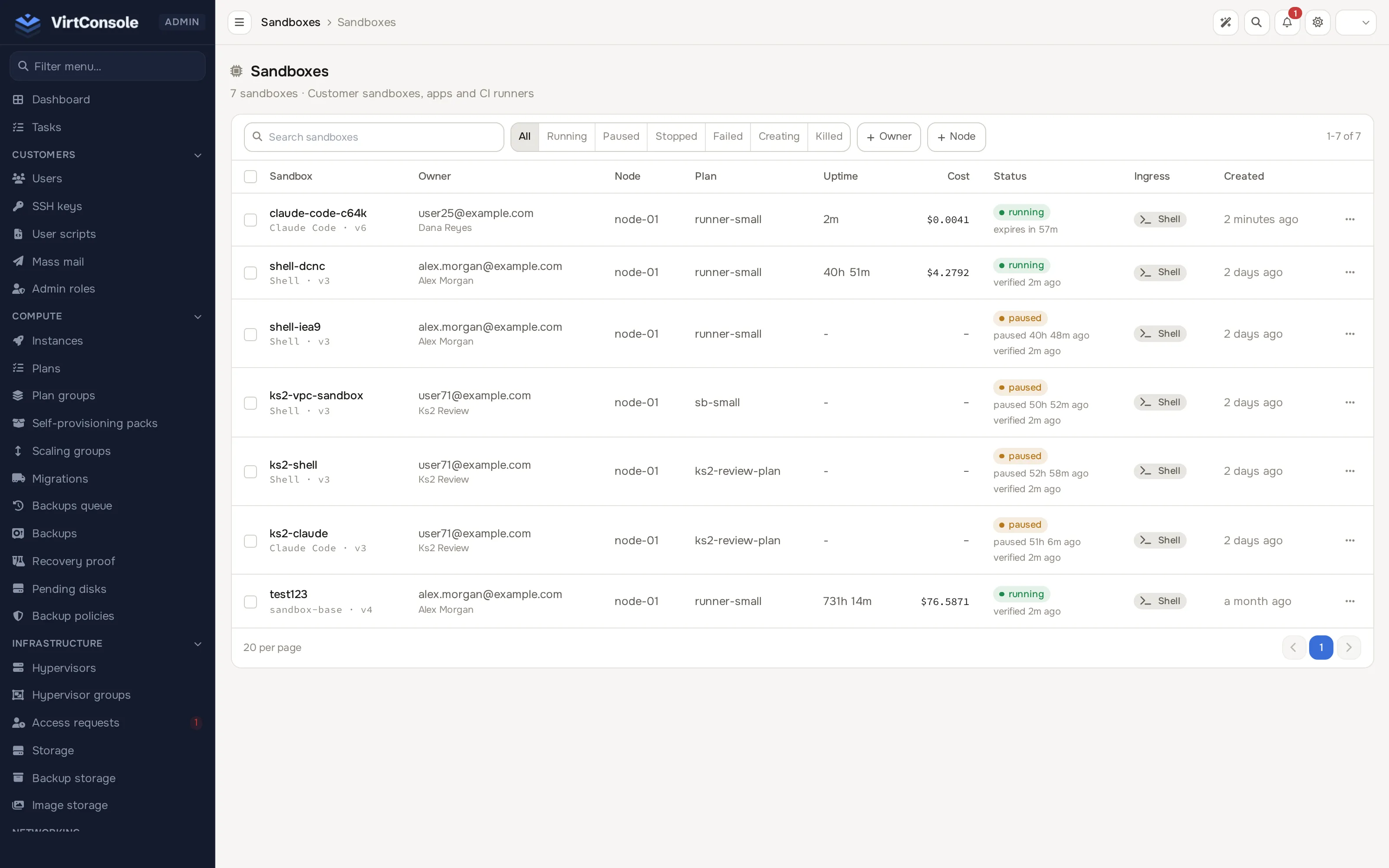
Open a sandbox to see its owner, its assigned node and hypervisor group, the connector that launched it (if any) with its job details, and both the platform’s own state and the node’s live reported state.
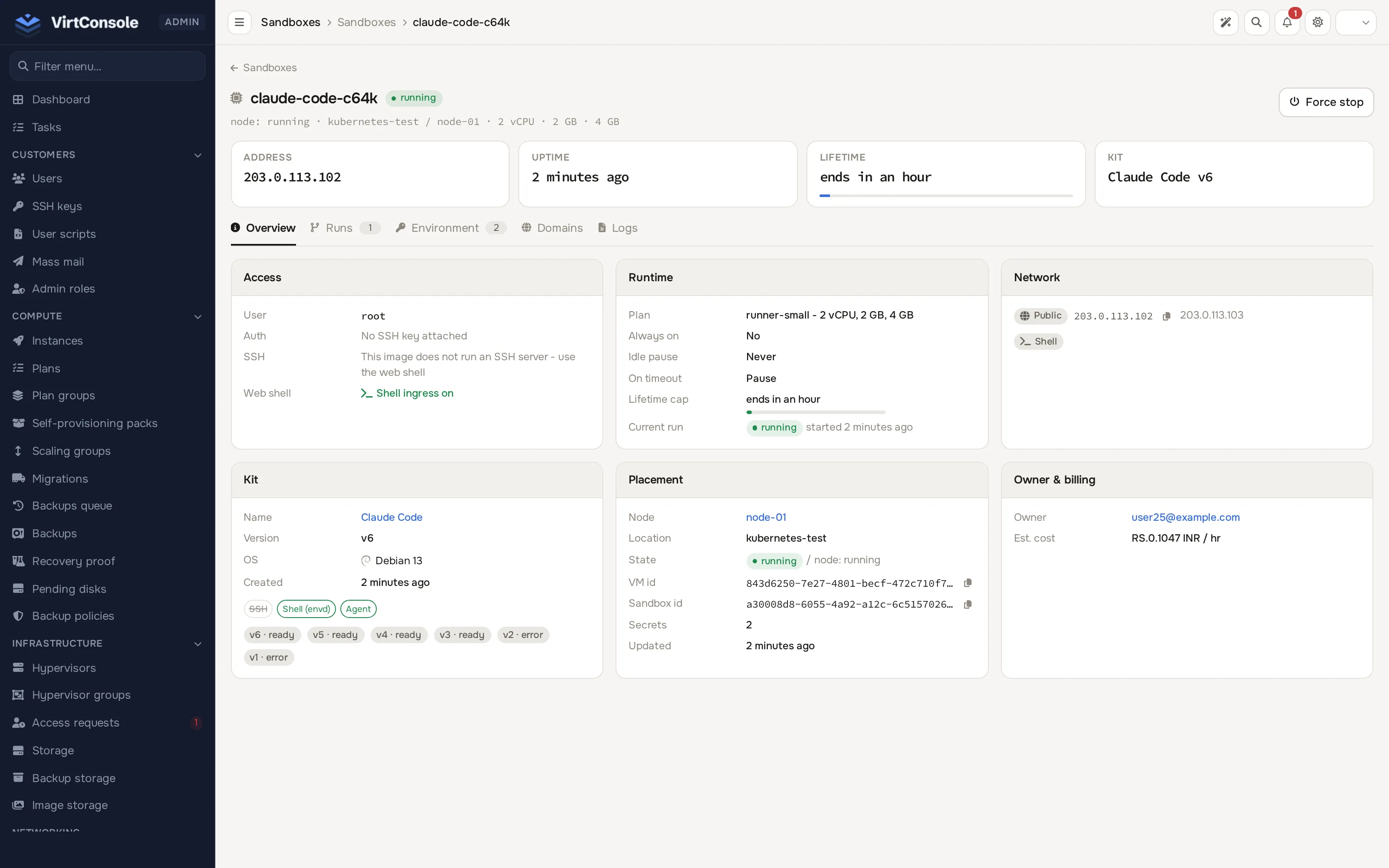
Force stop stops the sandbox’s current run on its node without destroying the row, for a sandbox that is stuck or needs to come down immediately regardless of the owner’s own lifecycle settings. Deploy, rollback and delete stay with the customer; the admin page does not offer them.
API keys audit
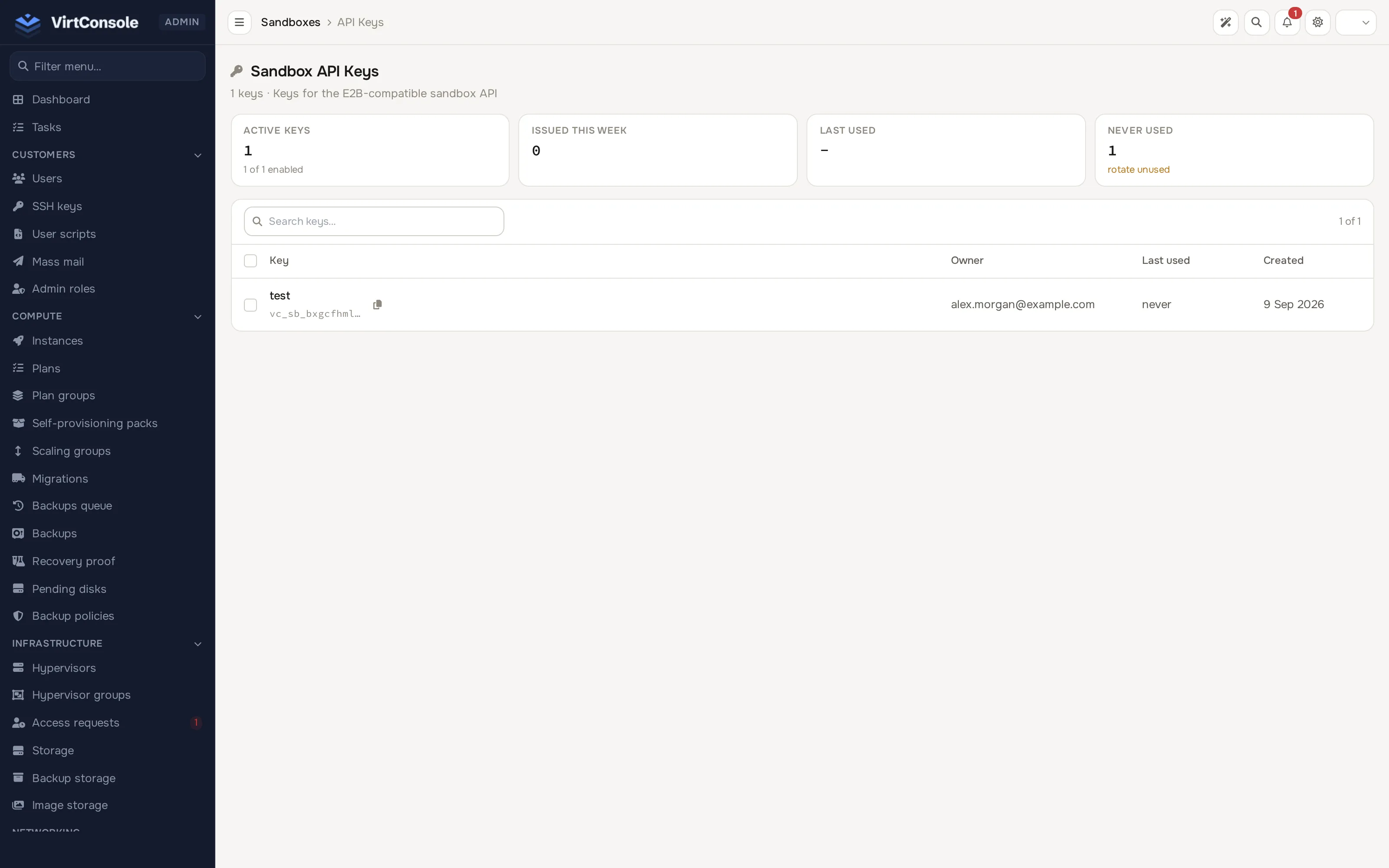
Section titled “API keys audit”Sandboxes > API keys lists every account’s sandbox API keys: name/prefix, owner, last used and created, plus summary tiles for active keys, keys issued this week and keys that have never been used. This is read-only. A key’s full value is shown to its owner once at creation, and its hash is stored, so it can never appear here.
Connectors
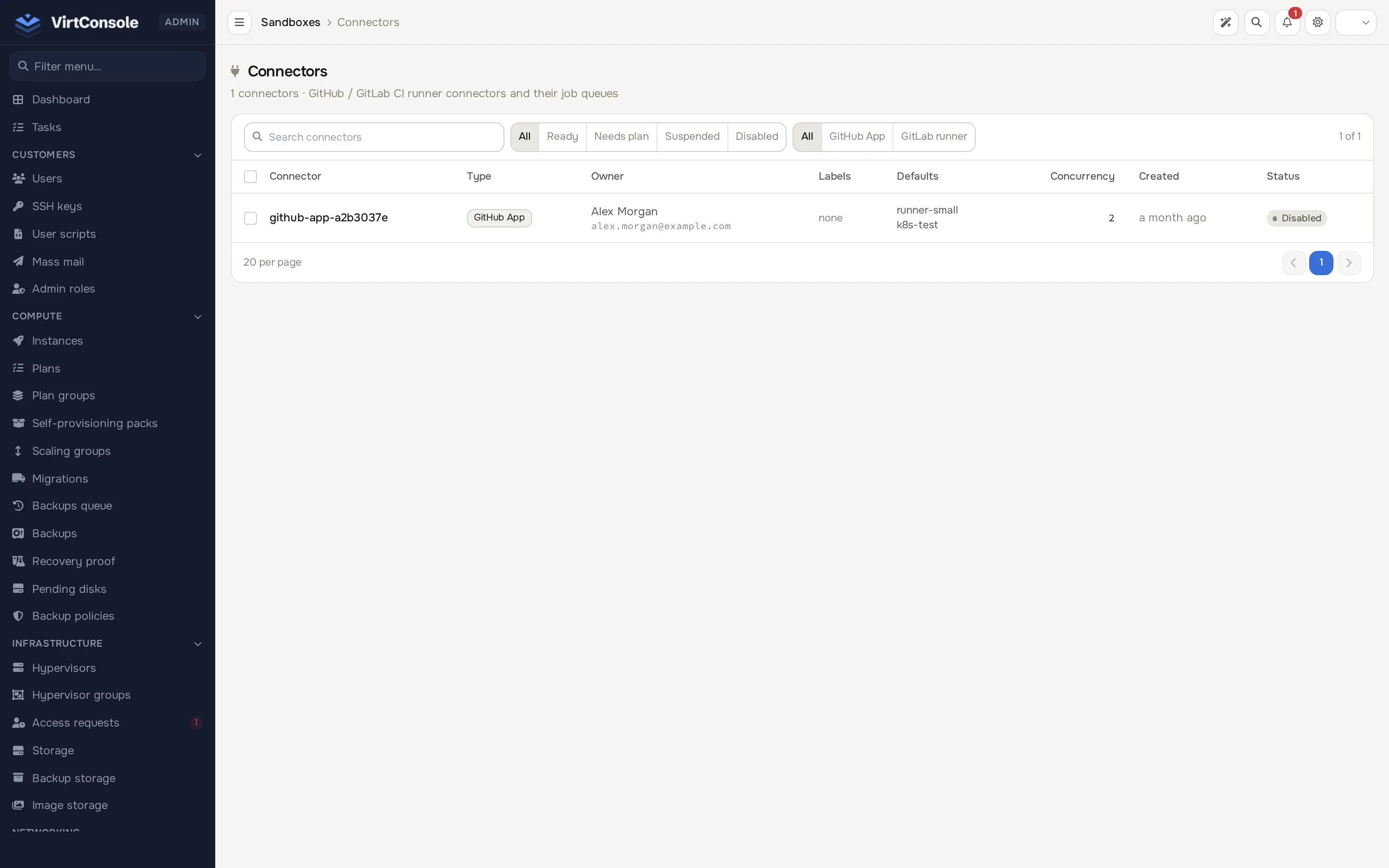
Section titled “Connectors”Sandboxes > Connectors lists every account’s CI runner connectors: type (GitHub App or GitLab runner), owner, labels, default plan/location, concurrency and status, filterable by readiness state and type. The list itself has no drill-down; cross-account job history is a separate page, not yet linked from the admin menu or this list, at /admin/microvm/connectors/jobs. It shows the same per-job detail (connector, provider job ID, status, started/finished) that customers see for their own connectors, with a date-range filter across every account.
GitHub App setup
Section titled “GitHub App setup”Before any customer can add a GitHub connector, the platform needs its own GitHub App. This is not linked from the admin menu yet; open /admin/microvm/runners/github/settings directly.
- Click Connect GitHub.
- Complete GitHub’s manifest flow in the window it opens; GitHub creates the App and hands back its credentials automatically.
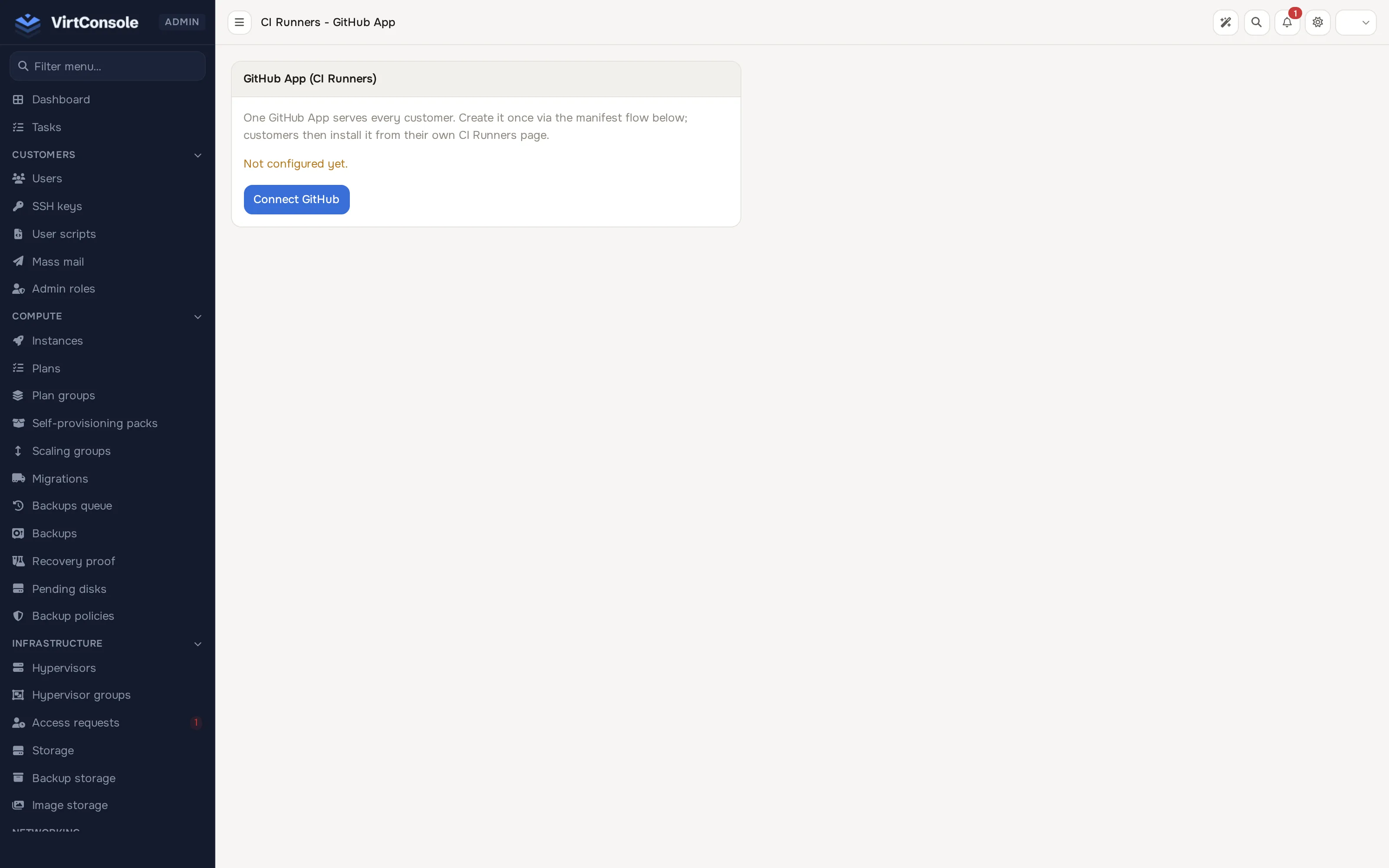
The screenshot above shows the page before any App exists, with the Not configured yet. notice and the Connect GitHub button. Once configured, the card instead lists the App ID, Slug, Client ID, whether a Private key is configured, and whether a Webhook secret is configured, and the button changes to Recreate GitHub App. One App serves every customer; each customer then installs it on their own GitHub account or repositories from their own Connectors page. Recreate GitHub App replaces the App entirely, which breaks every existing customer installation until they reinstall it.
GitLab connectors need no platform-wide setup; each customer supplies their own GitLab URL and runner authentication token.
Common problems
Section titled “Common problems”- A customer’s GitHub connector shows no installed accounts. The platform GitHub App is not configured yet; complete the setup above beforehand.
- A stuck sandbox will not respond to its owner’s stop/kill. Use Force stop from the admin show page, then investigate the node.
- A connector job never advances past “queued”. Check the connector’s node has capacity, and that the connector is enabled.