

Launch a sandbox
A sandbox is a running instance of a kit version. The launcher is one page where you read a sentence, change the parts you care about, and press Launch.
Before you begin
Section titled “Before you begin”- A ready kit: an agent kit installed by your provider, a platform base kit, or one you built yourself.
- Your account has a sandbox quota (5 by default, higher if your provider raised it) and needs a positive credit balance if sandbox billing is enabled for your account.
Where to find it
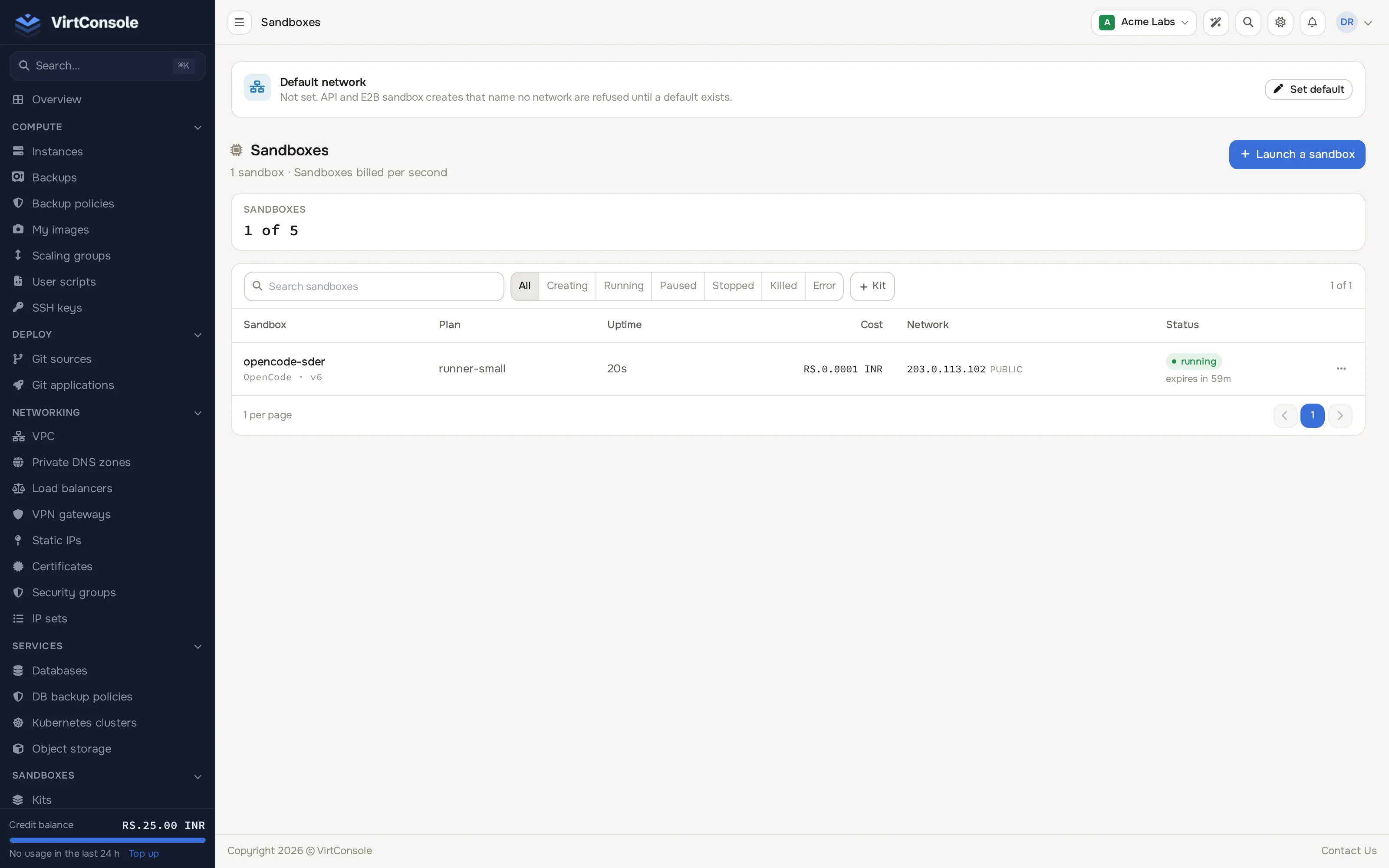
Section titled “Where to find it”In the user panel go to Sandboxes > Sandboxes, then click Launch.
The launch sentence
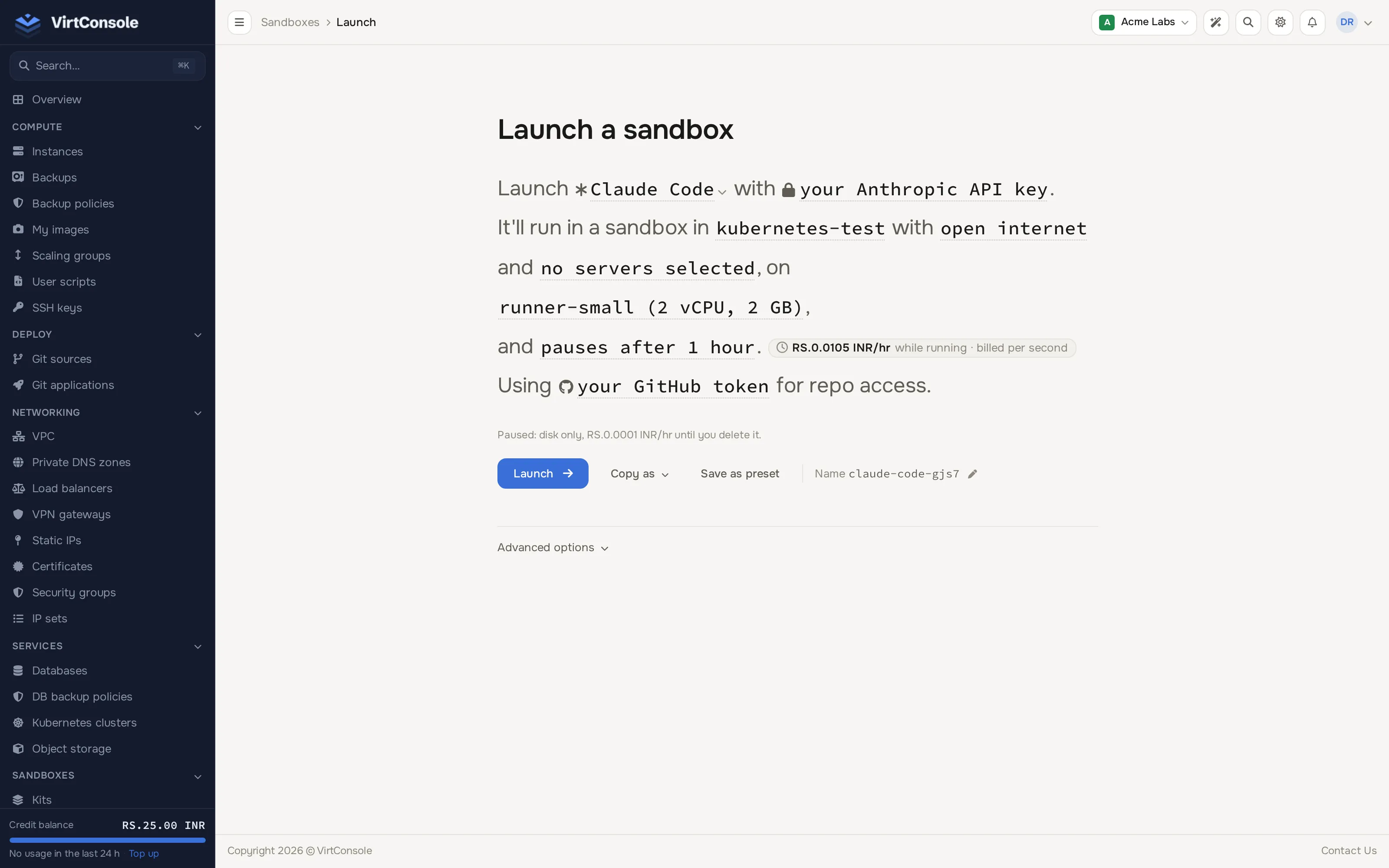
Section titled “The launch sentence”The launcher is a sentence. Each underlined part is a control; click it to change it in a small popover.
Launch [kit] with [secrets]. It’ll run in a sandbox in [location] with [network] and [tools], on [size], and [lifetime]. Using [your GitHub token] for repo access.
| Part | What it controls |
|---|---|
| Kit | Which kit to launch. Agent kits are listed at the top, followed by operating systems and your own kits. Search by name, and pick a specific version if you do not want the current one. If your provider has not installed any agent kit yet, the launcher says so and starts with an operating system kit instead. |
| Secrets | The API keys and other values handed to the sandbox as environment variables. See Secrets and API keys. |
| Location | Where the sandbox runs. A location you do not have access to yet shows Awaiting approval after you ask, or Not available when no node can host it. |
| Network | Public internet, VPC network, or Both. Static IP and security groups are under Advanced options. See Networking. |
| Tools | Which MCP servers the agent can call. Shown when your provider has the tools gateway turned on. |
| Size | The plan. Most locations list sizes with their vCPU, memory and price per hour. Some assign the size automatically. Kit default marks the size the kit suggests. |
| Lifetime | How long the sandbox runs and what happens when time is up: Run for 15 minutes, 1 hour, 4 hours, 8 hours or a custom length, then Pause or Stop and delete; or pause after 10 idle minutes; or never stop on its own. See how long a sandbox stays up. |
| Repo access | Your GitHub token, so git inside the sandbox can clone and push to github.com. Shown for every kit. See The GitHub token. |
A price chip next to the sentence shows the cost per hour while the sandbox runs. A line below it says what a paused sandbox costs, if anything.
The name is shown under the sentence as Name with a pencil. Click it to rename: 1-63 characters, lowercase letters, digits and hyphens, starting with a letter or digit. It is used for the URL <name>.<your apps domain>.
Advanced options
Section titled “Advanced options”Click Advanced options under the action row for the rest:
- Access: turn Web shell on or off (it enables the E2B SDK data plane and the web shell; recommended for interactive use, off for services), and choose SSH keys to add to
rooton the node before the sandbox boots. Manage your keys from Manage keys. - Environment: extra variables, merged with the kit’s defaults. A variable you set here overrides the kit’s value, and also overrides a picked secret with the same name.
- Network and security: HTTP ingress (Port, Health path, Extra ports, an optional Custom domain that needs a CNAME to the generated hostname beforehand), a static IP, and security groups.
- Hooks: lifecycle hooks, starting from the kit’s own defaults.
Copy as, presets and the name
Section titled “Copy as, presets and the name”- Launch starts the sandbox. It opens the sandbox page once it is placed on a node and boots in a few seconds. A sandbox that crashes during boot is reported as failed rather than left silently running.
- Copy as generates a cURL command, an OpenTofu resource or an E2B SDK (Python) starting point. Check the comments in the copy for settings the format cannot represent. The cURL command includes the selected tool servers; the OpenTofu and E2B copies describe that selection in a comment. The E2B snippet carries the kit name and environment, so configure location, size, network and lifetime separately. Saved secret values are replaced with placeholders; environment values you type into the launcher appear as entered.
- Save as preset stores the current sentence under a name; saved presets appear as chips under the sentence and apply in one click. A preset never contains a secret value.
The sandbox page
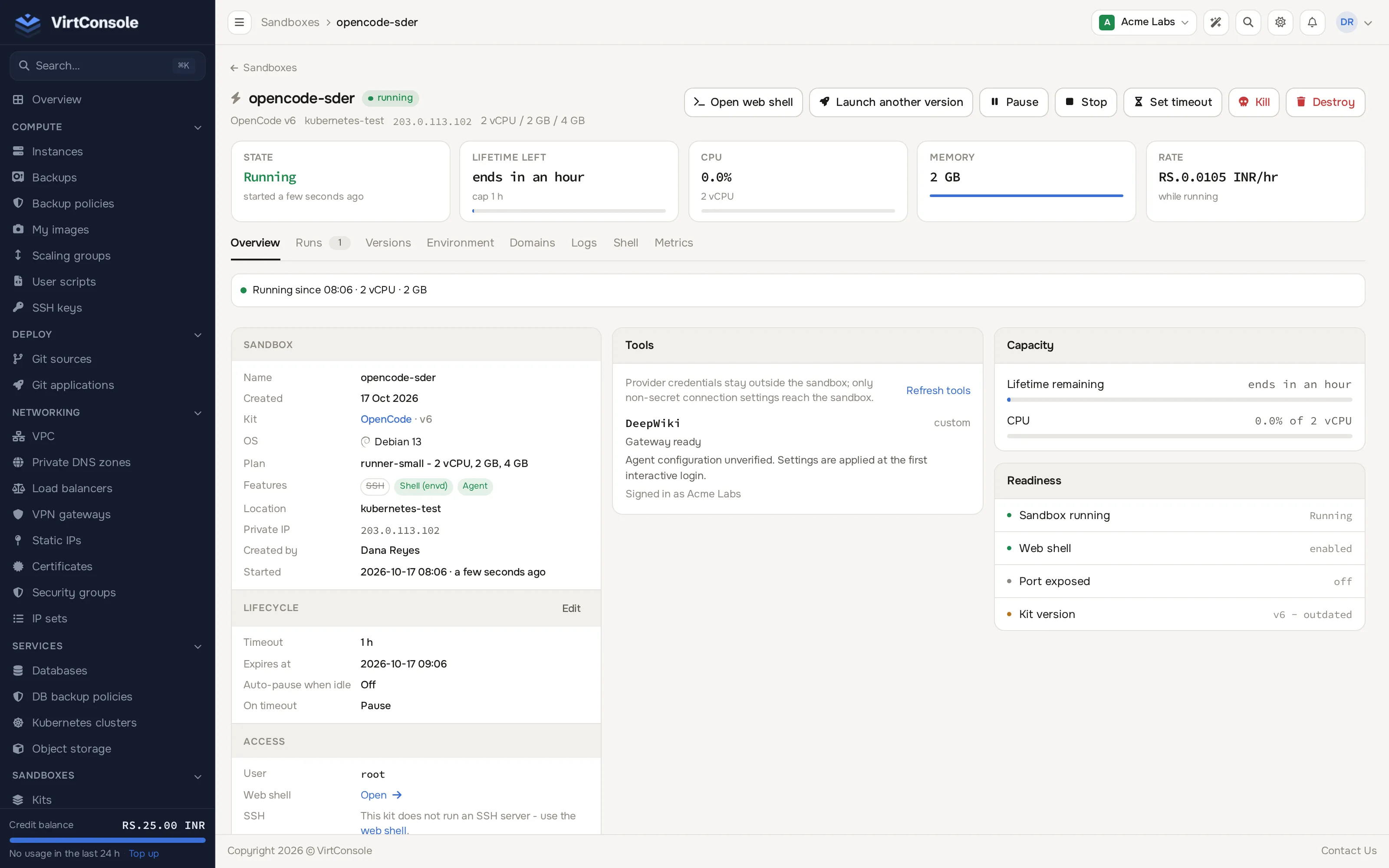
Section titled “The sandbox page”Opening a sandbox shows these tabs:
| Tab | What it shows |
|---|---|
| Overview | Size, lifetime settings, network and ingress, lifecycle hooks, readiness, the current kit version, and a Tools card when the sandbox uses tools. |
| Runs | The history of runs (a new run is created by every deploy, rollback, start or restart), each with its status and start and end time. |
| Versions | Pick a kit version and deploy it as a new run, or roll back to an older version. |
| Environment | Edit environment variables. Values are write-only; the panel never displays a saved value back to you. |
| Domains | Add or remove custom hostnames for HTTP ingress, with certificate status. |
| Logs | A live tail of the guest console log. |
| Shell | An interactive web terminal, when shell ingress is enabled on a kit that includes the shell agent. |
| Metrics | Live CPU, memory, disk and network usage. See Web shell, logs and metrics. |
Environment variables and secrets are written into the sandbox when it is created. Changing them later does not reach a sandbox that is already running; start a new run for the change to take effect. A login shell sees them; a plain non-login command over SSH (ssh host cmd) does not.
Pause, resume, stop, kill and delete
Section titled “Pause, resume, stop, kill and delete”| Action | What it does |
|---|---|
| Pause | Freezes the running sandbox to disk. Resume continues exactly where it left off. |
| Resume | Brings a paused sandbox back to running. |
| Stop | Shuts the sandbox down; the row and its disk stay, and Start deploys a fresh run of the current kit version. |
| Start | Starts a stopped (or errored) sandbox by deploying a new run. |
| Kill | Destroys the running sandbox immediately. The row stays until you delete it. |
| Delete | Removes the sandbox, killing it before removal if it is not already stopped or killed. |
Set or change the maximum lifetime at any point from Set timeout on the sandbox page; it replaces the current cap without restarting the sandbox.
Common problems
Section titled “Common problems”- “No sandbox node currently has capacity for this plan in this location.” Every node in that location is full for the chosen size. Try a smaller size or another location.
- A launch with secrets or tools is refused because the nodes must be updated. The nodes in that location do not support delivering environment variables or tools yet. Ask your provider to update them, or pick another location. Starting an existing sandbox on such a node is refused for the same reason when it has variables to deliver.
- A duplicate name is rejected. Sandbox names are unique per account; pick a different one.
- Shell ingress cannot be enabled. The kit does not include the shell agent. See Create a kit.
- A VPC network option is missing. VPC networking is not activated for your account in that location, or you have no VPC subnets yet.
- Networking questions (NAT gateway warning, mapping a static IP, no network selected). See Networking.